新闻:Cubase 升级到了 13,新闻地址:New in Cubase 13: Time to Embrace a New Era | Steinberg.
看起来添加了一个全新的 VocalStrip 也就是人声通道条,这一点像是模仿了 iZotope 里的 Neutron,将声音的各种模块序列化。另外添加了我最喜欢的 EQP 仿真 EQ 插件。同时也模仿 Waves 的 Magma,添加了一个复古的过载效果器。不仅是这些,在采样编辑器中还添加了大量的包络预设。这些新功能应该会为声音设计增加非常有趣的玩法。虽然我不是 Cubase 的稳定用户,但加剧的竞争肯定会为 DAW 市场带来更多活力。
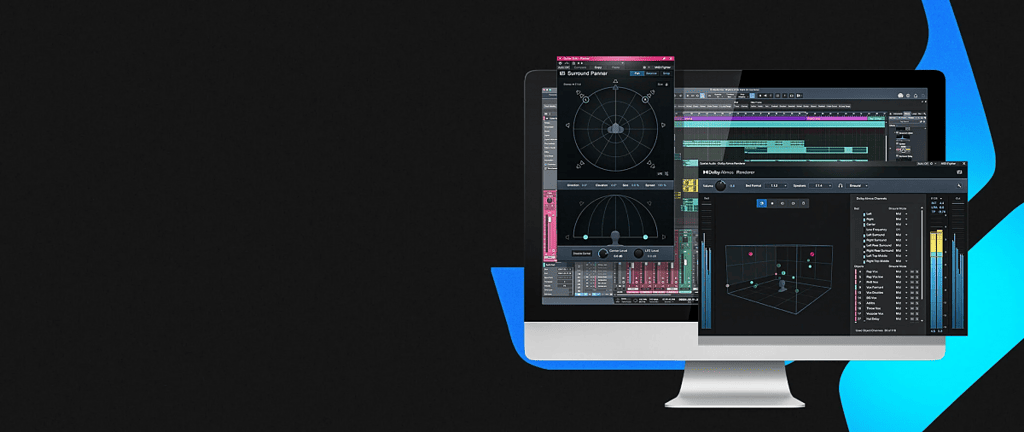
StudioOne 6.5.1
同时,StudioOne 6 更新到了 6.5.1,之前版本中莫名其妙的事件条拖拽偏移得到了修复。
Studio One 6 – Version History and Release Notes
This document lists all Studio One 6 maintenance updates and their included fixes and improvements.
Version 6.5.1 Release Notes (November 1, 2023):
Improvements:
● Speaker Mapping in plug-in header now allows swapping channels via drag & drop
● Vertical snapping now restored when dragging Events to other Tracks
● [Linux] Warning when audio device is in use by another application
The following issues have been fixed:
● [Bit Crusher] Downsampling sounds different after reactivation
● [DAW Mode] StudioLive S-Series mixer freezing when loading song with >100 channels
● [DAWproject] Certain audio parts not time-stretched
● [Linux] Freeze when creating song from smart template with audio files
● [Linux] Graphical glitches with time cursor and animations
● [Linux] JACK and ALSA devices block each other
● [Linux] File system permission issues with shared data folders
● [macOS] Crash on right-clicking channel when another channel with pinned Overview is selected
● [macOS] No multichannel option for AU plug-ins displayed when available
● [macOS] Potential crash when dropping many chords on instrument track
● [macOS] Potential crash when loading certain picture files
● [macOS] Video thumbnail creation can get stuck when source file contains invalid data
● [Console] Clipping indicator does not light up
● [Note Editor] “Legato” shouldn’t extend Note Events to Part end in all cases
● [Pattern Editor] Text input of individual step count broken
● [ProEQ³] Toggling quality mode changes band frequency
● [Show Page] Lyrics for next song do not automatically show up in performance view
● [Surround Delay] Potential error when stepping through presets
● [Surround Panner] Changing channel focus disengages ControlLink device focus
● [Windows] “Enter” key does not insert line break in Lyrics Editor
● [Windows] GUI in certain 3rd-party plug-ins not entirely responsive
● [Windows] Macro Page commands don’t use Macro Page of currently focused area
● [Video] Certain exports fail when set to Dolby AC3
● Presence XT “Artist Instruments” presets not showing up
● Audio file channel mapping not recalled
● Automation node pop-up doesn’t automatically focus on data field
● Can’t drag audio event with crossfade to Chord Track
● Canceling “Transform to Audio Track” of Multi Instrument does not delete all bounces
● Certain 3rd-party panner not listed as surround panner
● Crash when initializing certain Dante PCIe-R boards
● Diminished 7 chords are not recognized
● Export Spatial Audio dialog settings not stored when all checkboxes unchecked
● Lyrics display does not update when editing Lyrics events
● “Manage Plug-ins” does nothing when browser shows search results
● Merging audio events does not retain clip boundaries
● MPE Note Off is generated immediately after Note On
● Multichannel plug-in routing not correct with certain speaker setups
● Note resizing stretches part automation
● Panner open state is not recalled after loading a song
● Plug-in extension Solo not working for groups
● Potential crash when quitting the application while searching the file system
● Potential crash when switching from Atmos to Surround in Song Setup dialog
● Quantizing 50% does not move notes individually
● Renderer channel isn’t expanding on double click
● Selection doesn’t follow entirely when selecting empty Instrument Tracks
● Selection skips Tracks after closing a folder
● “SkyDust3D” Track Preset reloads wrong output configuration
● Surround Delay presets are not displayed after installation, manual re-indexing is needed
● Undoing “Move to Cursor” irreversibly corrupts Part Automation
● Unexpected results when multiple crossfades are edited simultaneously