Room EQ and Crossfeed 升级功能详情
Preview for UFX+, UFX II, UFX III, UCX II owners.
Room EQ
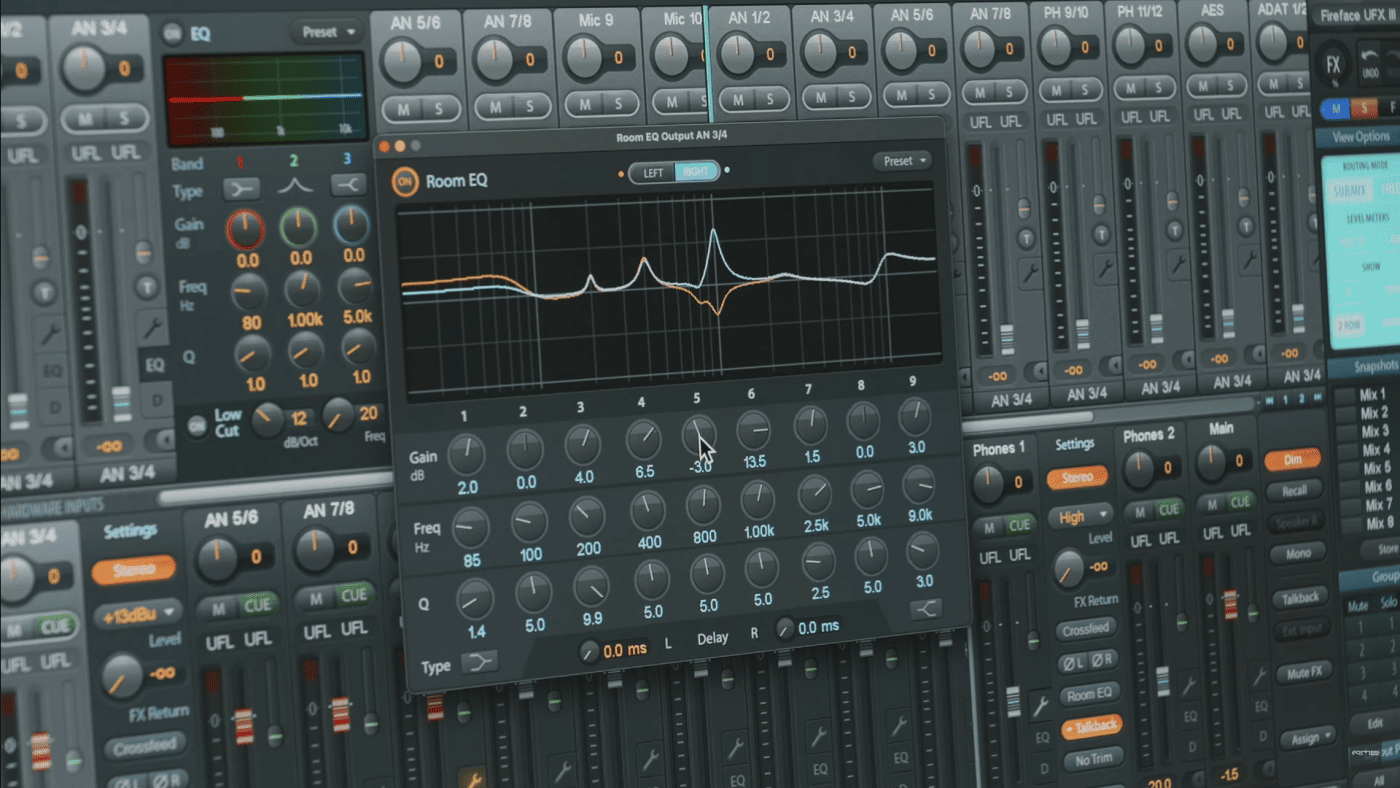
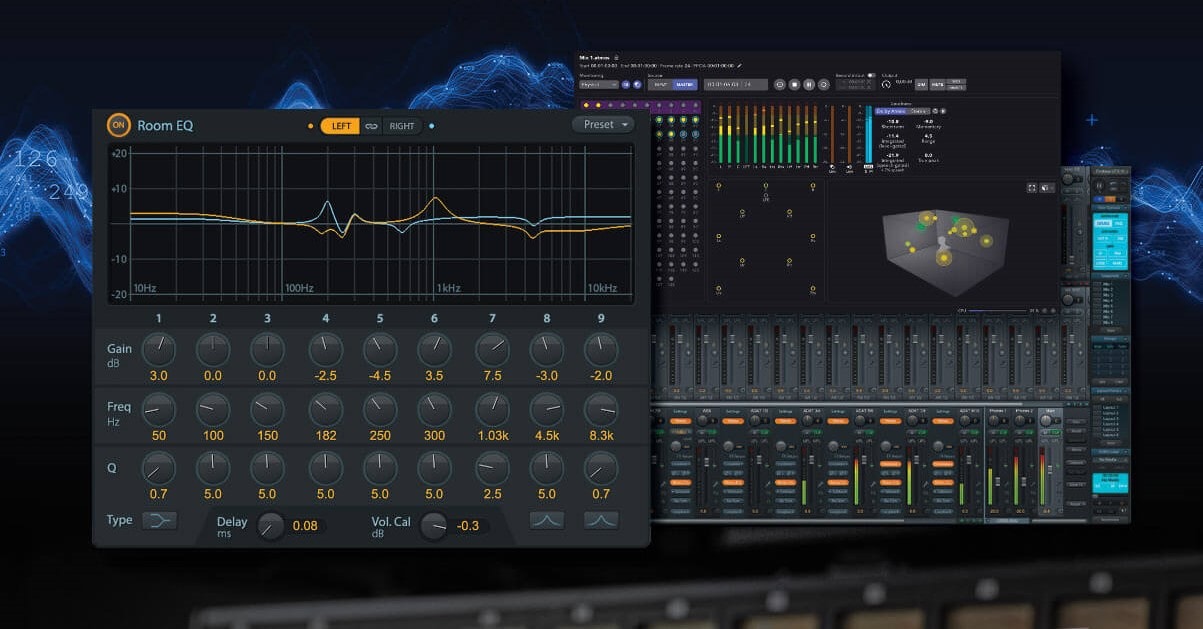
A firmware update provides these three interfaces with an optimized handling of the existing 3-band PEQ in TotalMix FX. Under the hood a 9-band PEQ is built from three 3-band PEQs, usable on any output channel. Obviously DSP power is limited, so any activated Room EQ reduces the available total number of 3-band PEQs by that amount. That should be no issue though, there are plenty available.
The maximum number of Room EQs is 20, so up to 20 mono output channels or 10 stereo output channels or any combination of these. That’s more than needed for a 16 channel surround setup.
Additionally the Room EQ window includes Delay, adjustable from 0 ms up to 42 ms, in steps of 0.01 ms. Up to 20 of these delays can be activated, matching the number of 9-band PEQs.
The Room EQ window also offers Volume Calibration through level adjustment from +3 dB down to -24 dB. This helps to set up all speakers in a usable way, without having to fiddle with the respective output channel’s fader.

The Room EQ button in any output channel’s Settings panel is lit when any of the functions in the Room EQ window are activated. For Delay that means not 0 ms, for VolCal not 0 dB.
On stereo channels the Room EQ window also includes channel selectors L, R, and both (Link symbol), to set the EQ curves as desired, individually or simultaneously.
The 3-band PEQ and 9-band Room EQ can be used at the same time, forming a 12-channel PEQ. Yet they are treated differently: The Room EQ is regarded as fixed speaker output setting, therefore not saved in Snapshots, but Workspaces. Also both PEQs have a Preset selector, but use individual files. The Presets in the Room EQ window include Delay and VolCal settings.
The Room EQ and Crossfeed are placed directly behind the 3-band PEQ, so they can be recorded via Loopback.

Crossfeed (stereo speaker emulation)
Finally, for headphone mixing and audiophilia, we also added the ADI-2 series’ Crossfeed function. As known from these devices Crossfeed can be selected in 5 ‘strenghts’, on a maximum of 3 stereo outputs. Crossfeed emulates speaker behaviour in terms of reduced channel separation, so the extreme wide ambiance often experienced with headphones is reduced a bit.

RME 最近为旗下的 Fireface UFX 系列声卡进行了一系列重大升级,主要新增功能就是 Room EQ 和 Crossfeed. Room EQ 是用来自定义输出的频响曲线,而 Crossfeed 是通过降低耳机监听中过于分离的立体声来得到耳机与音箱相似的立体声声场 (目的在于在更相似的环境下进行混音)。
Room EQ 内置于 Totalmix 中,并集成在 Main 输出的选项中。如果你知道在 StudioOne 中增加那个 Listen Bus 的意义为何,那就一定会理解 RME 的这项升级的重大意义。
是的,如果你有了 Fireface UFX 系列声卡,然后还在犹豫是否购入一套 SoundID 来校准你的耳机或房间,那么也许你可以先试试 RME 的解决方案,说不定能省下 SoundID 的这笔投资。
在大致了解了这个功能后,我即刻在官网下载了更新固件和驱动,这确实是 2024 年 1 月 17 日最新提供的下载包。

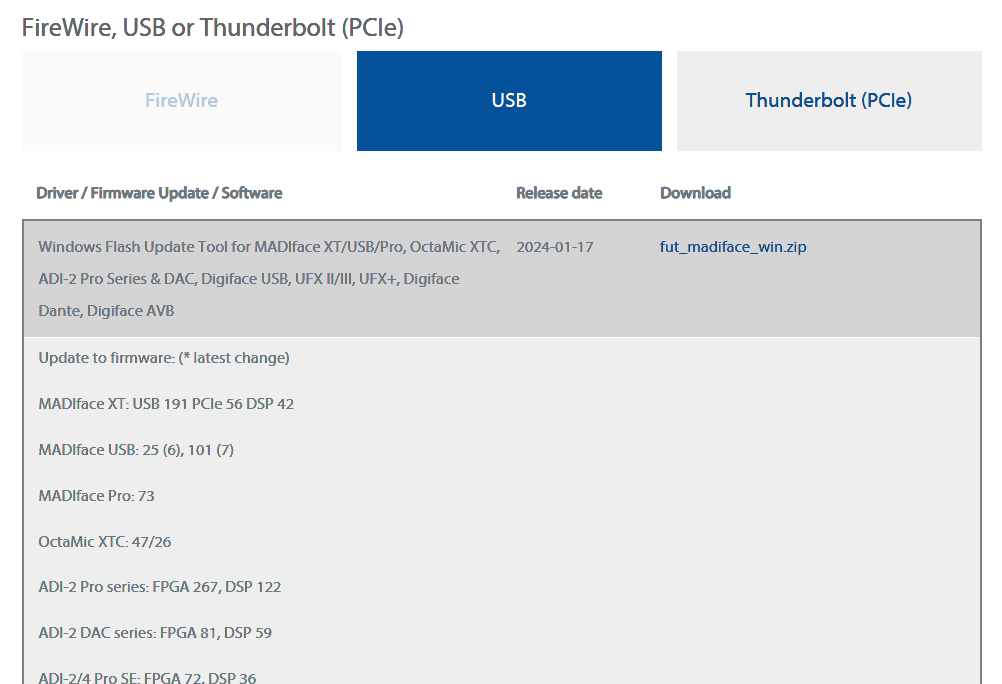
在升级了我的 UFX+和 Totalmix 后,需要重启电脑。之后再次打开 Totalmix。
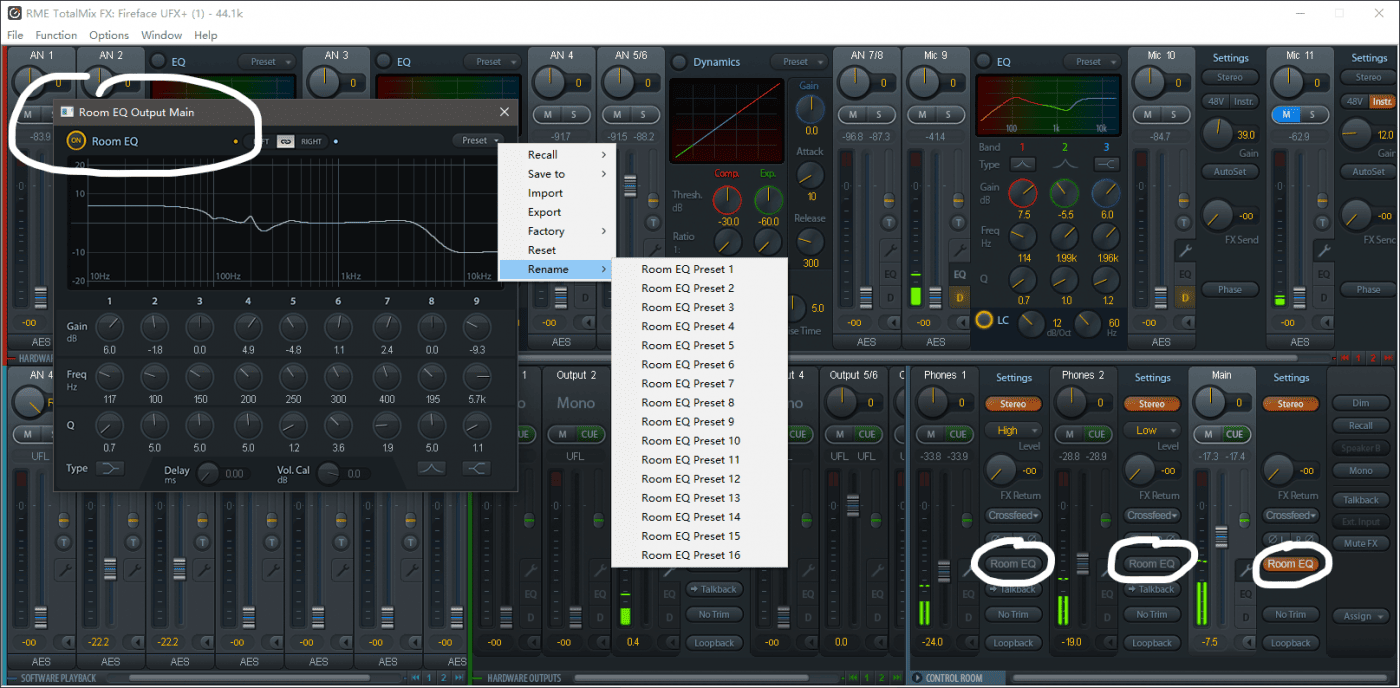
在我的主输出,耳机 1 输出,耳机 2 输出上,都多出了一个 Room EQ 的按钮。点击其中任何一个都可以打开一个小的 Room EQ 界面。在这个 (无法调整大小的)EQ 中,我随意调节了一些频点,并即刻在回放中听到了变化后的效果。如果点击右上角,我还可以将当前设置进行重命名和保存。
而 Crossfeed 也呈现在三套输出的 Room EQ 按钮之上。但这个功能聆听简单的音频效果还不明显,我会继续用多种方式测试。
总之,RME 的这次升级真的让我很惊讶,要知道,监听矫正是个很复杂的市场,做专业音频接口的厂家,如果趟入这个浑水,很容易变得吃力又不讨好,比如用户会挑剔监听矫正的质量,或会抢占了现存品牌的市场。这也是为什么专业的音频接口,专业的 DAW 都没有过多的涉足于此。但 RME 就是敢做,而且技术能下放多少就下放多少,从不保留。比如 Crossfeed 功能就是来自于 ADI-2 上的,但鉴于大家的呼声,RME 将它扩展到了 UFX 全系列。
从现在开始,新的 UFX 用户,真的不用再买 SoundID 这类第三方矫正软件了。在 Totalmix 里为你的耳机 1 做一套频响曲线,耳机 2 是另一套,而主输出,则根据你的音箱调整出你的第三套曲线。它们都能同时存在,你无论切换为哪个监听,都能保证听到 (至少是你认为的) 最平直的声音。